
Defender
Two-factor authentication made easy with Enterprise 2FA
Our Enterprise 2FA solution, Defender, enhances security by requiring two-factor authentication to gain access to your network resources. Defender uses your current identity store within Microsoft Active Directory (AD) to enable two-factor authentication. It takes advantage of AD’s inherent scalability and security to eliminate the time and expense involved with setting up and maintaining proprietary databases. Defender’s web-based administration, user self-registration and ZeroIMPACT migration capabilities ease implementation for administrators and users. Plus, Defender hardware tokens utilize their full battery life and provide software tokens that never expire.
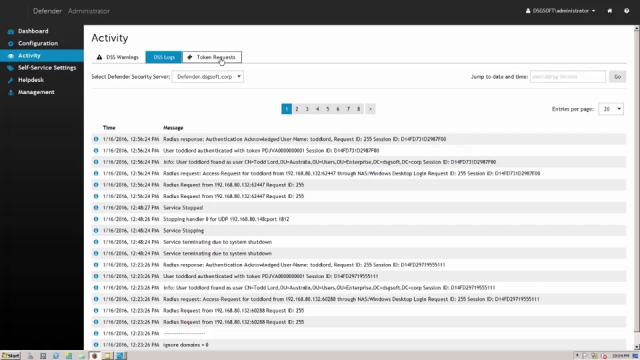 06:02
06:02
Features
Active Directory-centric
Token self-registration
Help desk troubleshooter
Web-based administration
Token flexibility
ZeroIMPACT migration
Universal soft token license
Pluggable Authentication Module (PAM)
Encryption
Specifications
- Processor
- 2 GHz or faster, x86 or x64 architecture
- Memory (RAM)
- 2 GB or more
- Hard disk space
- 40 GB or more
- Operating system
Your computer must be running one of the following operating systems (with or without any Service Pack):
- Windows Server 2019
- Windows Server 2016
- Windows Server 2012 R2
- Windows Server 2012
- Windows Server 2008 R2
- Windows Server 2008 (32 and 64 bit editions)
- Processor
- 1.4 GHz or faster, x86 or x64 architecture
- Memory (RAM)
- 512 MB or more
- Hard disk space
- 2 GB or more
- Operating system
Your computer must be running one of the following operating systems (with or without any Service Pack):
- Windows Server 2019
- Windows Server 2016
- Windows Server 2012 R2
- Windows Server 2012
- Windows Server 2008 R2
- Windows Server 2008 (32- and 64-bit editions)
- Windows 10 (32- and 64-bit editions)
- Windows 8.1 (32- and 64-bit editions)
- Windows 8 (32- and 64-bit editions)
- Windows 7 (32- and 64-bit editions)
- Additional software
- Active Directory Users and Computers (ADUC) tool
- Microsoft Visual C++ 2013 Redistributable Package (installed automatically together with the Defender Administration Console)
- Microsoft .NET Framework 4.7.2 (installed automatically together with the Defender Administration Console)
- Processor
- 2 GHz or faster, x86 or x64 architecture
- Memory (RAM)
- 2 GB or more
- Hard disk space
- 40 GB or more
- Operating system
Your computer must be running one of the following operating systems (with or without any Service Pack):
- Windows Server 2019
- Windows Server 2016
- Windows Server 2012 R2
- Windows Server 2012
- Windows Server 2008 R2
- Windows Server 2008 (32- and 64-bit editions)
- Additional software
- Microsoft Internet Information Services (IIS) 10.0, 8.5, 8.0, 7.5, or 7.0, with Forms Authentication and ASP .NET role services enabled (configured automatically by the setup)
- Microsoft .NET Framework 4.7.2 (installed automatically together with the Defender Management Portal)
- To access the Defender Management Portal, you can use any of the
following Web browsers:
- Chrome 15 or later
- Firefox 8 or later
- Internet Explorer 9 or later (Internet Explorer run in compatibility mode is not supported)
- Opera 11.1 or later
- Safari 5.1 or later
Download free trial to see the full list of system requirements.