-
Resources
- Forums
-

GPOADmin
Simplify Active Directory group policy management and governance. Managing Active Directory group policy objects (GPOs) is a time-consuming challenge for most IT organizations. GPOADmin is a third-party GPO management and governance solution that allows you to search, administer, verify, compare, update, roll back and consolidate GPOs to ensure consistency and avoid long-term GPO proliferation. GPOAdmin offers enhanced security and workflow capabilities allowing you to control and secure your Windows infrastructure while supporting governance initiatives.
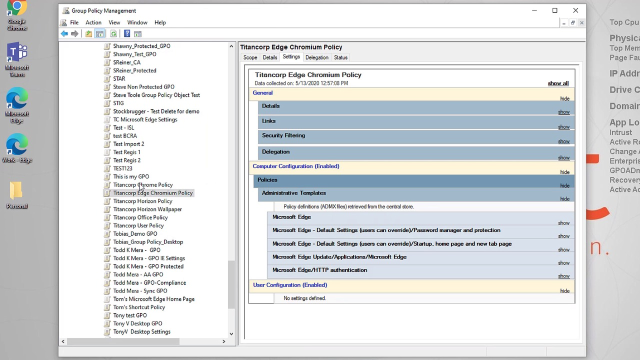 04:07
04:07
Getting your GPO management right is critical — one wrong GPO with a seemingly innocuous setting can inflict massive detrimental effects to the security posture of thousands of systems in your network within minutes. With GPOADmin, you can automate critical GPO management and governance tasks to reduce risk and eliminate manual processes.
GPOADmin offers several GPO management features to simplify Active Directory group policy management, including version comparisons to improve GPO auditing, rapid rollback to quickly revert back to a working GPO, an approval-based workflow to ensure changes adhere to change management best practices, GPO consolidation to search for redundant or conflicting settings, automated attestation to continually validate GPOs, and GPO syncing to automate settings synchronization from master GPO to selected target GPOs.
As a Group Policy manager solution, GPOADmin also provides additional features, including intuitive scheduling to implement or schedule approved changes, custom email templates for notifications, group policy lineage to test pre-production GPO clones, hidden pre-production GPO access control, protected settings policies with predetermined values, GPO check-in and check-out locking to prevent unauthorized changes, object management to assign responsibility for specific policies, and pre- and post-actions to execute custom actions before or after a GPO management change. These features enable easier management and customization of group policies.Key Benefits
Version comparisons
Rapid rollback
Approval-based workflow
GPO consolidation
Automated attestation
GPO Syncing
Features
Intuitive scheduling
Custom email templates
Group Policy lineage
Hidden pre-production GPO
Protected settings policies
GPO check-in and check-out locking
Object management
Pre- and post- actions
Tour
New! GPO Consolidation
Specifications
- Processor
2Ghz CPU Memory
- Memory
8Gb RAM
- Hard disk space
1 Gb (prefer 50Gb if backups and reports stored on he same drive)
- Operating systems
- Windows® 11
- Windows® Server 2022
- Windows® 10
- Windows® Server 2012
- Windows® Server 2012 R2
- Windows® Server 2016
- Windows® Server 2019
- Note: Nano Server is not supported
- .NET Framework 4.8
- GPMC Extension compatible for the system where you are installing GPOADmin
- Microsoft Edge WebView2 Evergreen Bootstrapper 97.0.1072.69
- Microsoft Exchange 2013
- Microsoft Exchange 2016
- Microsoft Exchange 2019
- Active Directory (not recommended)
- AD LDS
- Azure SQL managed instance
- SQL Server (Supported version includes 2012, 2012 R2, 2014, 2016, 2017, 2019 and 2022)
- Note: GPOADmin supports SQL AlwaysOn Availability Groups and SQL Clusters for SQL data
- Network Share (recommended)
- Active Directory (not recommended)
- AD LDS
- Azure SQL managed instance
- SQL Server (Supported version includes 2012, 2012 R2, 2014, 2016, 2017, 2019 and 2022)
- Note: GPOADmin supports SQL AlwaysOn Availability Groups and SQL Clusters for SQL data
- Same system requirements as GPOADmin.