
Password Manager
Self-service management and security for end user passwords
Password Manager is a secure, self-service password manager solution. Save considerable help desk hours by enabling users to reset forgotten passwords and unlock their accounts themselves. Implement stronger password policies without worrying about impacts on your help desk team. Comply with data security standards and extend access management far beyond native AD-controlled systems.
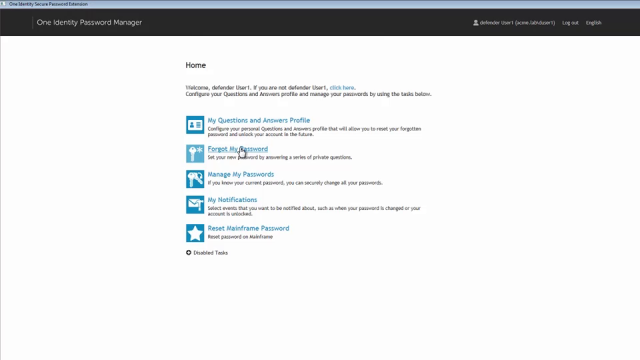 02:41
02:41
Overview of Password Manager
Key Benefits
Enable user password-reset capabilities
Extend access policies beyond AD’s native controls
Streamline help desk duties
Serve users from multiple domains
Enterprise password management
Features
Secure Password Manager
Streamlined help desk duties
Multiple domain support
User self-service
Enterprise-wide password management software
Two-factor Authentication
Tour
Admin Home View
Specifications
| Platform: |
|
| Memory: |
|
| Hard disk space: |
NOTE: If .Net Framework is already installed, then installation may take less space. |
| Operating system: | Password Manager can be run on any of the following operating systems:
NOTE: Password Manager is not supported on Windows Server Core mode setup. |
| Internet information server: | On the Web server, Password Manager requires any of the following IIS versions:
To ensure best practice security, Password Manager should be configured to use HTTPS. For more information, see Administrator Guide. |
| Web browser: |
|
| Microsoft .NET framework |
NOTE: You must install .NET Framework before you install Password Manager. |
| Visual C++ Runtime libraries |
|
| Acrobat reader |
|
| Minimum screen resolution |
|
| Web browser | Password Manager Self-Service and Helpdesk sites require any of the following Web browsers:
|
| Minimum screen resolution |
|
| Hard disk space |
|
| Operating system: | Password Policy Manager can be run on any of the following operating systems:
NOTE: Password Manager is not supported on Windows Server Core mode setup. |
| Visual C++ runtime libraries: |
|
| Operating system | Secure Password Extension can be run on any of the following operating systems:
|
| Web browser: |
We do not recommend use of any plug-ins for Microsoft Internet Explorer on computers where you plan to deploy Secure Password Extension, since the plug-ins extend Internet Explorer functionality and could pose security threats. |
| Operating System | The Offline Password Reset component can be run on any of the following operating systems:
NOTE: Password Manager is not supported on Windows Server Core mode setup. |
| SQL server: | Any of the following SQL Server versions is required:
|
Download free trial to see the full list of system requirements.